dumpspedia logo

You need to make changes to repo1 to support the planned changes for the developers.
What should you modify?
Before App1 is upgraded, you need to verify each individual upgrade step and whether all tests have passed.
Which file should you use?
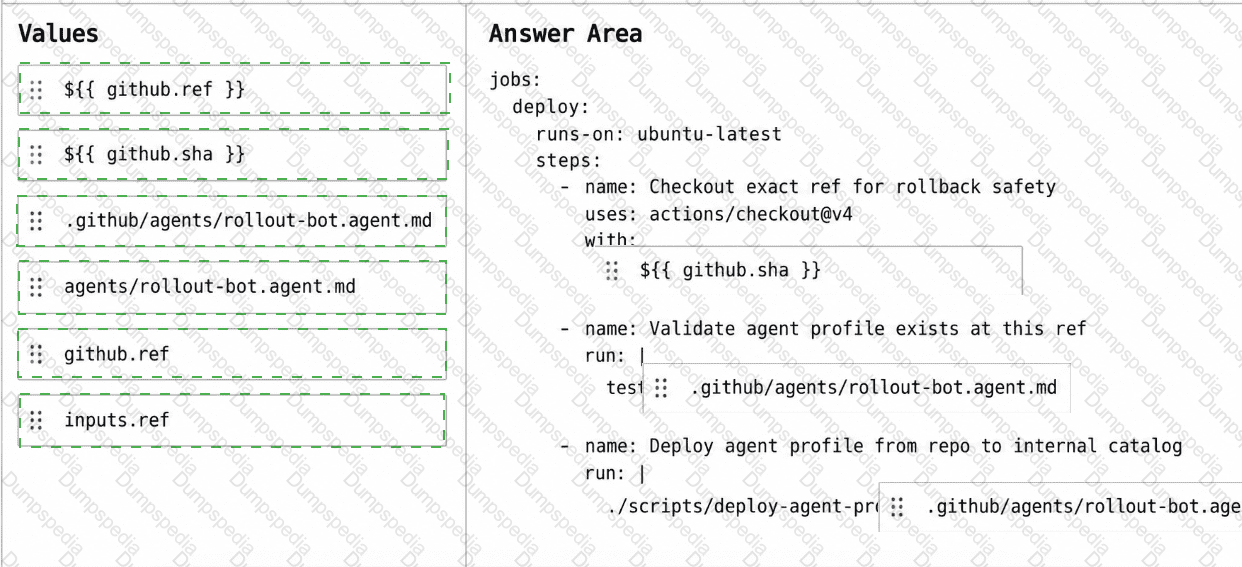
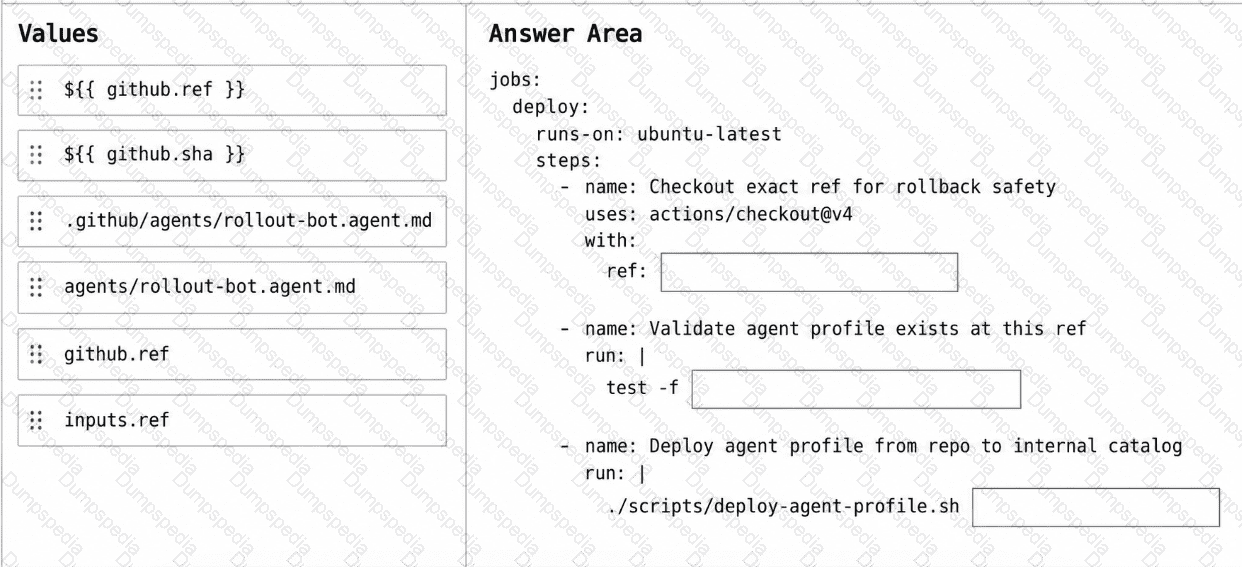
You have a GitHub repository that uses a custom GitHub Copilot coding agent defined in the rollout-bot.agent.md file.
You need to update a workflow so that agent-profile changes can be rolled back by reverting a single commit and rerunning the workflow. The workflow must check out the exact commit being deployed and apply the agent profile from the repository at that commit.
How should you complete the workflow? To answer, drag the appropriate values to the correct targets. Each value may be used once, more than once, or not at all. You may need to drag the split bar between panes or scroll to view content.
NOTE: Each correct selection is worth one point.
While using agent mode in VS Code, you want Copilot to run a specific test suite as a validation step after making changes, without manually invoking the terminal each time. What feature enables this?
Your company uses GitHub Copilot custom agents in Microsoft Visual Studio Code.
The company also uses the Copilot coding agent on GitHub issues.
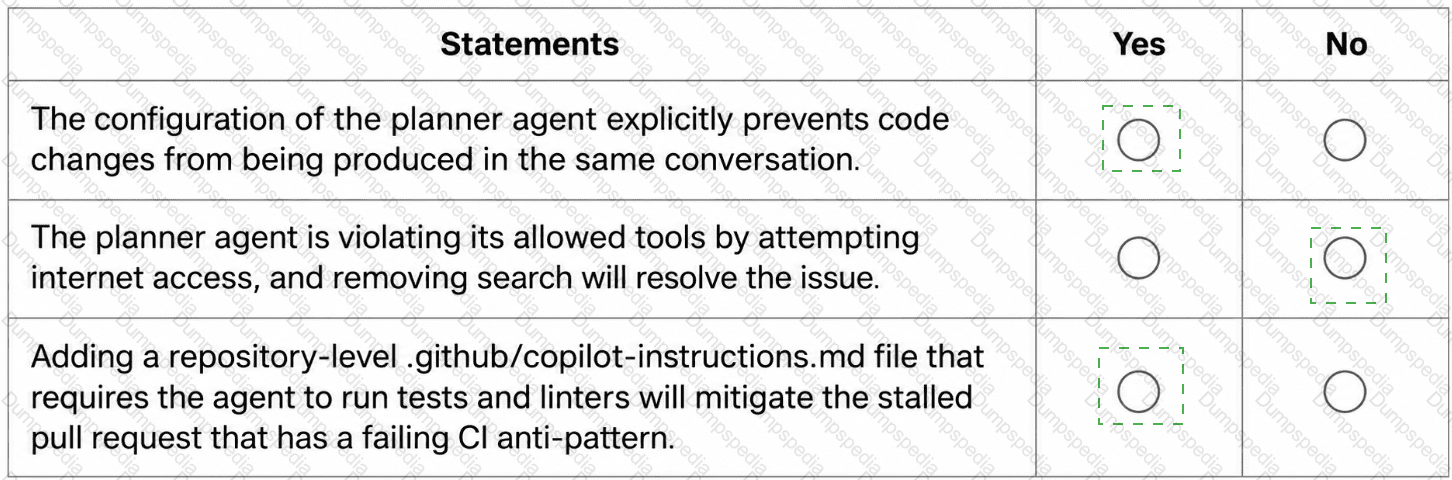
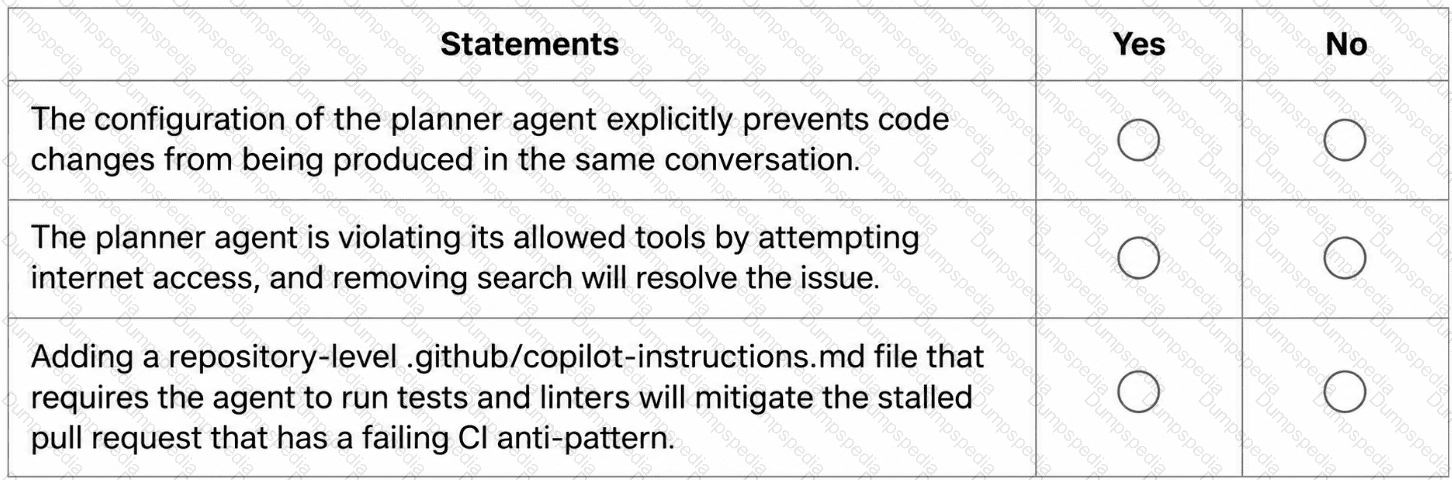
You have a file named .planner.agent.md that defines an agent named planner. planner has tools set to [ ' search ' , ' read ' , ' fetch ' ]. There are explicit instructions NOT to write or modify any code. The file also defines a handoff labeled Start Implementation to an agent named implementer and sets send to false.
Developers report that after the planner agent produces a plan, implementation sometimes starts immediately in the same conversation and code changes appear without an explicit agent switch.
When Copilot-created pull requests stall, maintainers review the pull request timeline and session logs. Several stalled sessions show outbound network commands blocked by a firewall, and the repositories do NOT contain a .github/copilot-instructions.md file.
For each statement, select Yes or No.
You have a GitHub Enterprise Cloud organization that uses the GitHub Copilot coding agent.
Copilot creates a draft pull request for an assigned issue, and the pull request timeline shows Copilot started work.
After 70 minutes, the agent session log stops updating, and the pull request body status stops changing.
You need to restart the agent so that it continues the task from the issue context and produces new commits to the existing draft pull request.
What should you do?
You assigned an issue to the Copilot coding agent, and it opened a pull request. You want to inspect exactly what code changes were made before merging. Which CLI slash command lets you view the change set directly in the terminal?
You have a GitHub Enterprise repository.
An agent opens pull requests to the main branch.
You need to ensure that changes to .github/workflows/* and /infra/* require approval from designated reviewers before merge.
What should you configure?
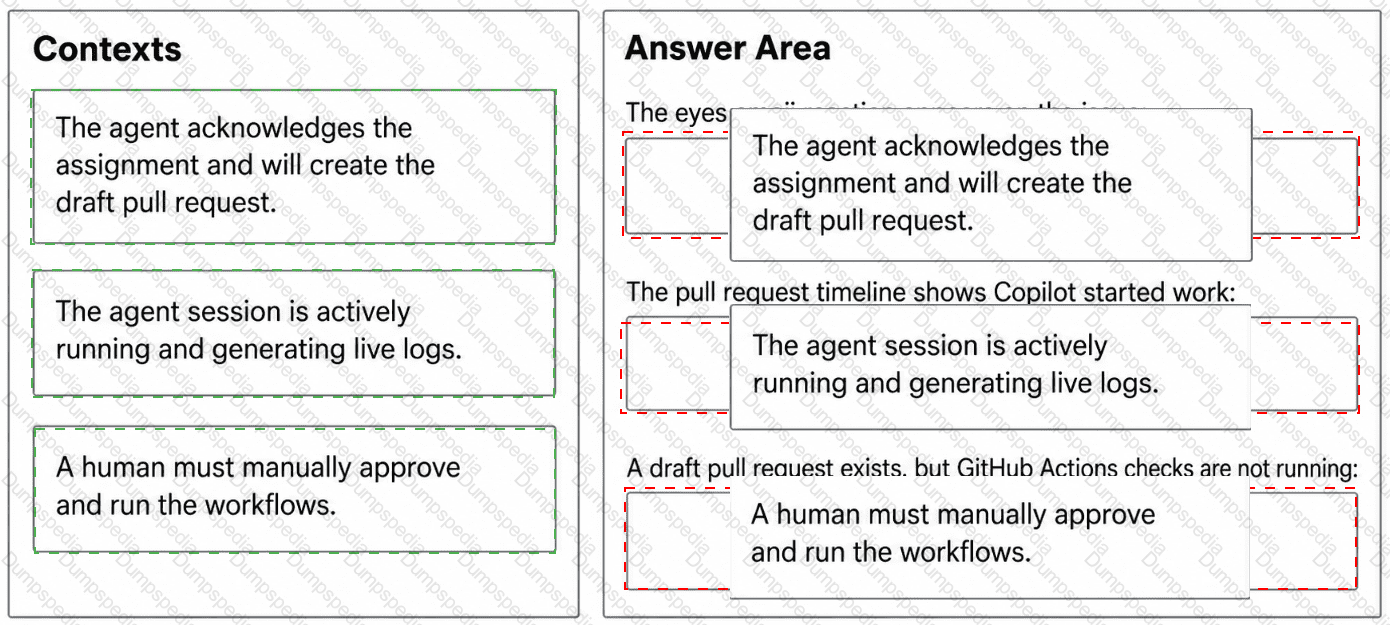
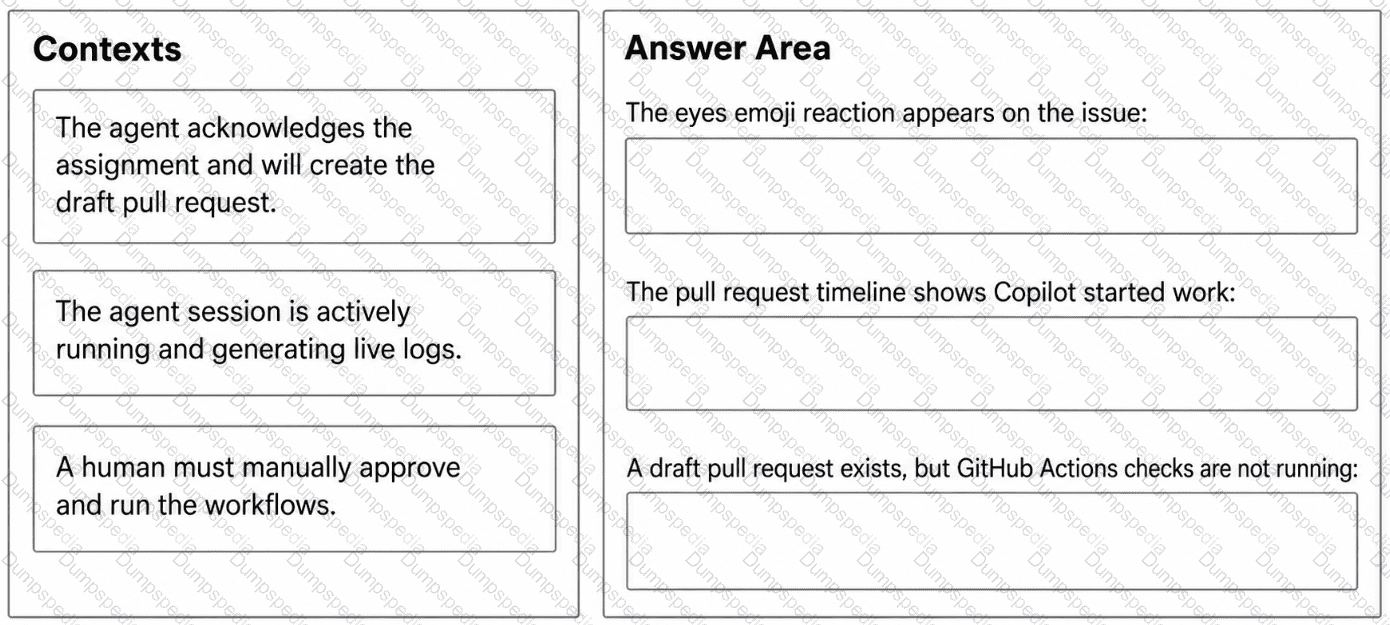
You have a GitHub Enterprise Cloud organization that uses the GitHub Copilot coding agent to resolve issues asynchronously.
When an issue is assigned to GitHub Copilot, the agent creates a draft pull request, but your team cannot always tell whether the agent is actively working, has completed its session, or is awaiting workflow approval.
Which execution context does each signal indicate? To answer, drag the appropriate context to the correct signals.
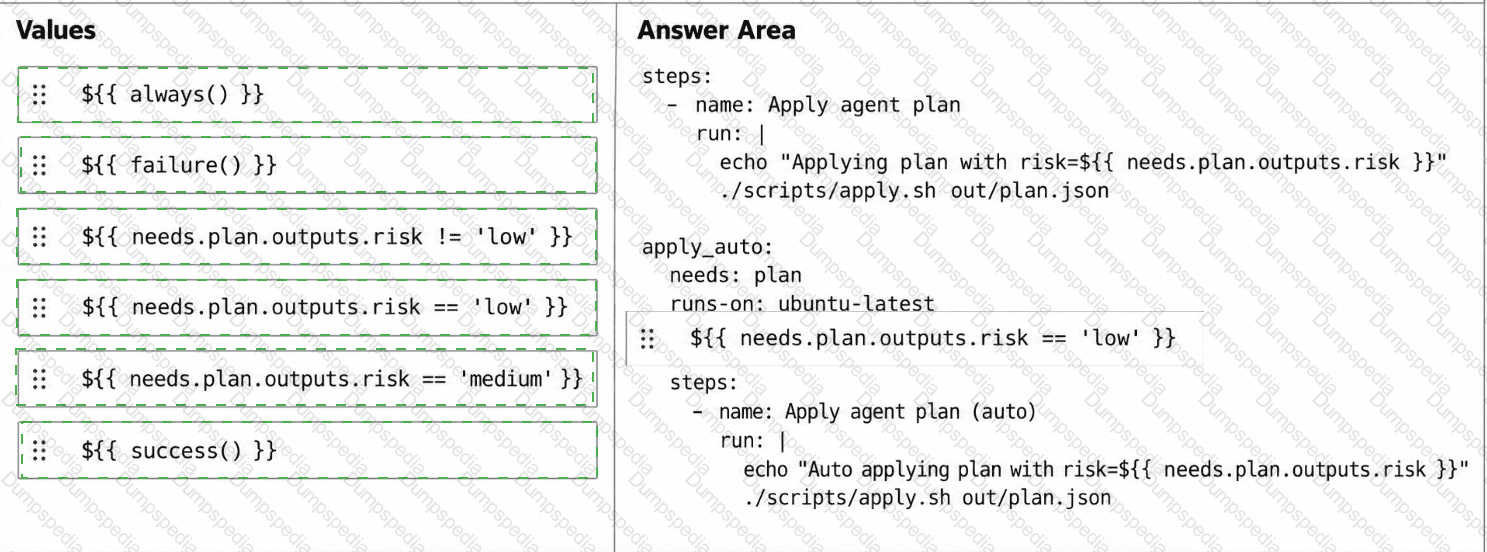
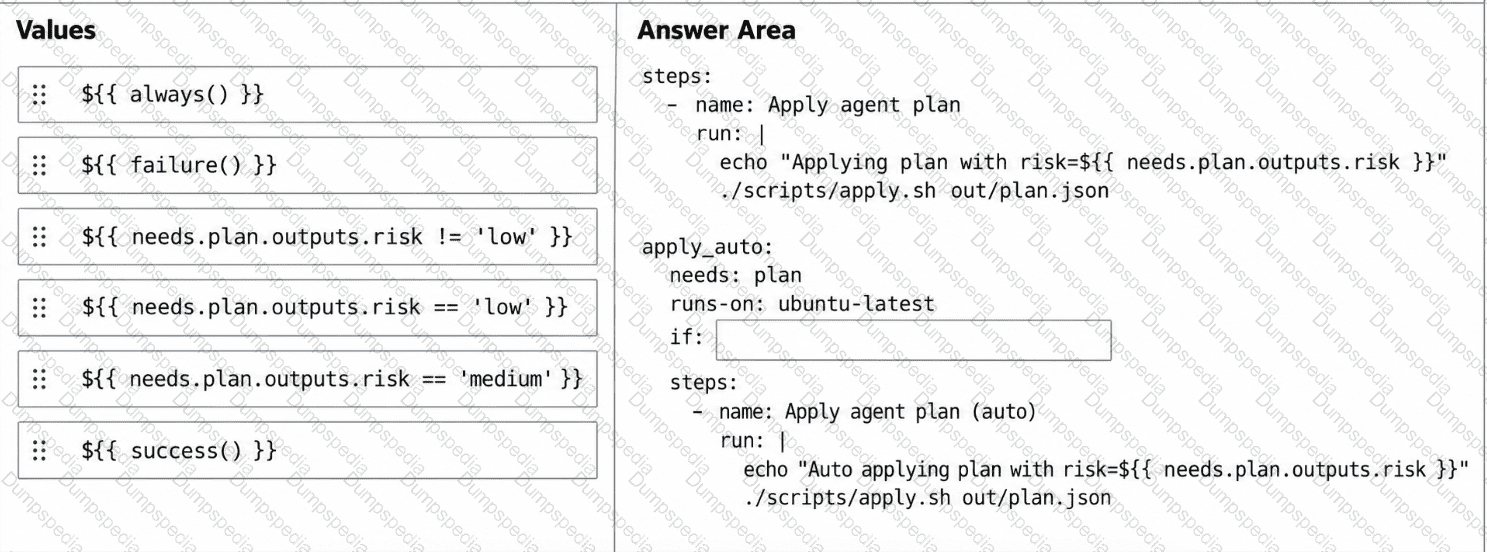
You have a GitHub repository that uses a GitHub Actions workflow to run an agent-driven change plan as part of a CI pipeline. The workflow generates an artifact named plan.json that includes a field named risk. risk has possible values of low, medium, or high.
You need to ensure that a human must confirm the execution of the workflow when risk is medium or high. The workflow must proceed automatically only when risk is low.
How should you complete the workflow? To answer, drag the appropriate values to the correct targets. Each value may be used once, more than once, or not at all. You may need to drag the split bar between panes or scroll to view content.
NOTE: Each correct selection is worth one point.
You want to prevent GitHub Copilot from ever suggesting completions or making edits inside a directory containing sensitive credentials templates. What should you configure?
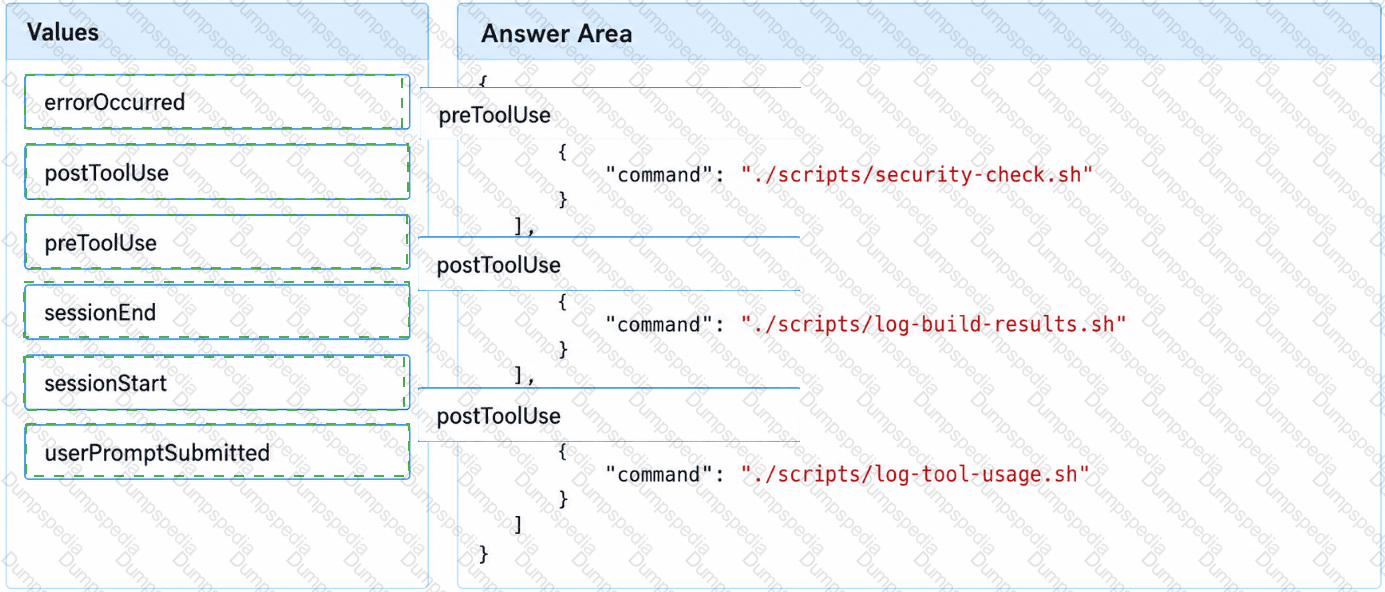
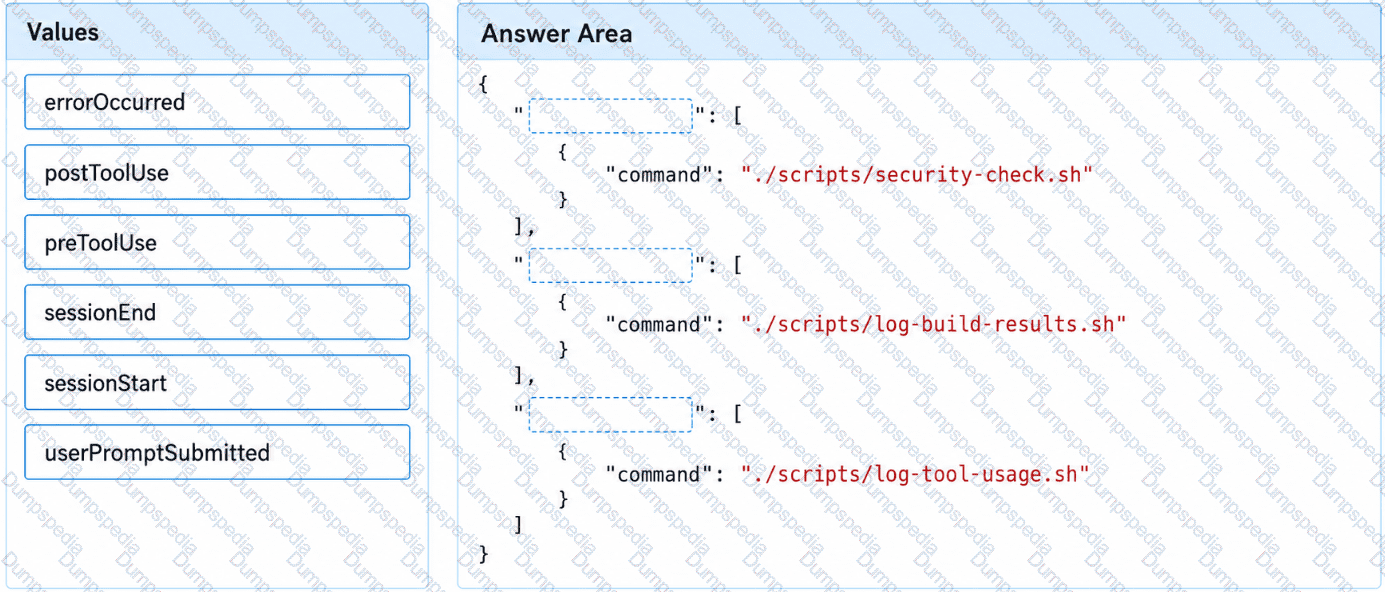
You have a GitHub repository that uses the GitHub Copilot coding agent.
You need to complete the hooks configuration to meet the following requirements:
Tool usage must be evaluated before execution.
Build results must be logged after execution.
Tool usage must be logged after execution.
How should you complete the hooks configuration? To answer, drag the appropriate values to the correct targets.
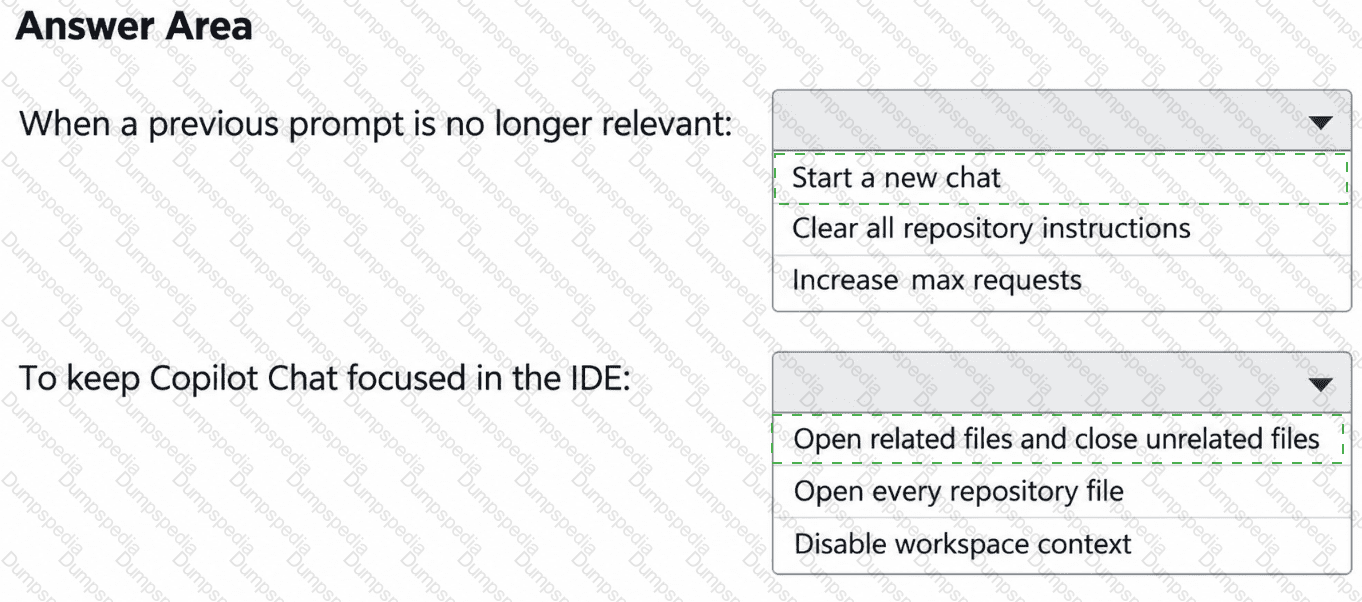
You have a GitHub Enterprise organization that uses GitHub Copilot.
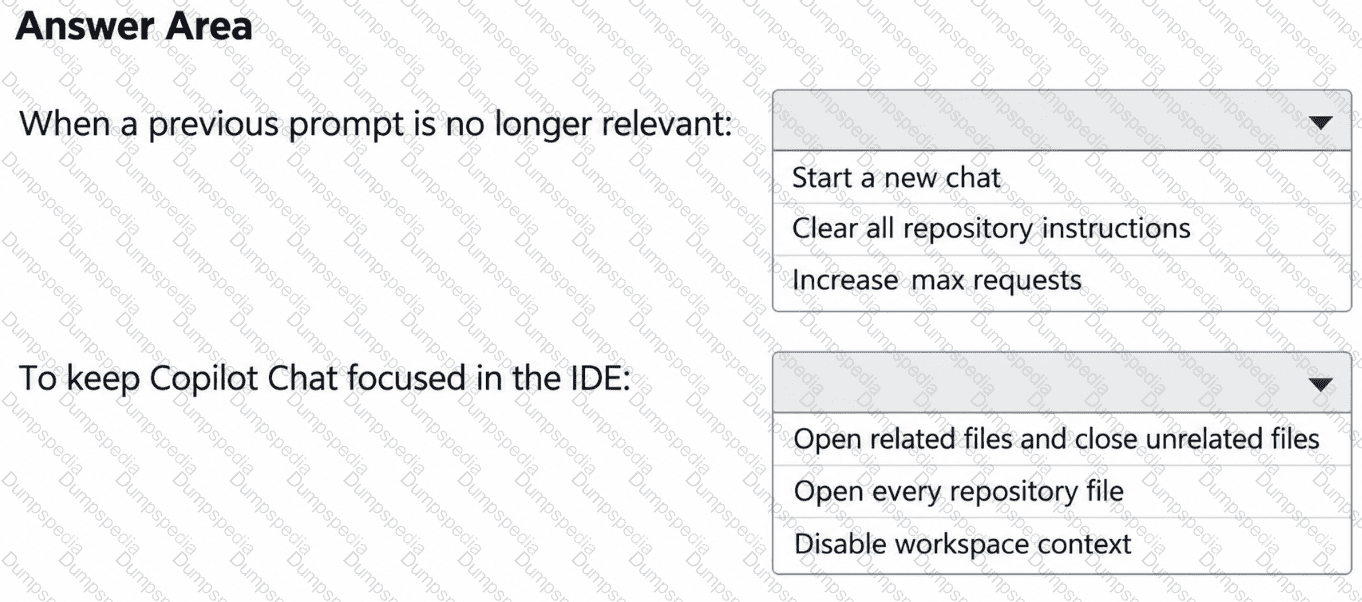
You discover that GitHub Copilot Chat responses in Microsoft Visual Studio Code are influenced by earlier, unrelated troubleshooting prompts from the same conversation.
You need to ensure that the Copilot Chat conversation context is limited to information relevant to the current work item. The solution must minimize effort.
What should you do? To answer, select the appropriate options in the answer area.
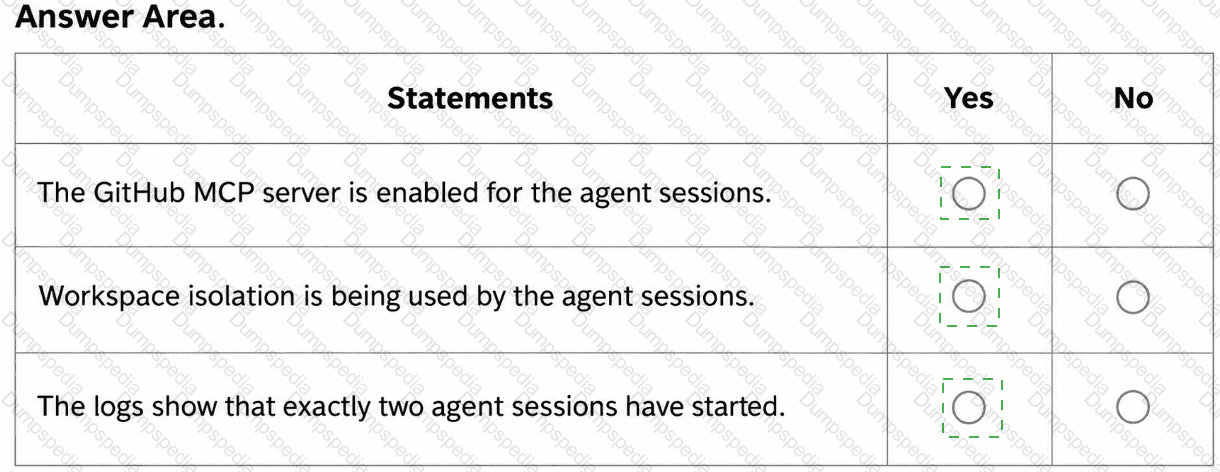
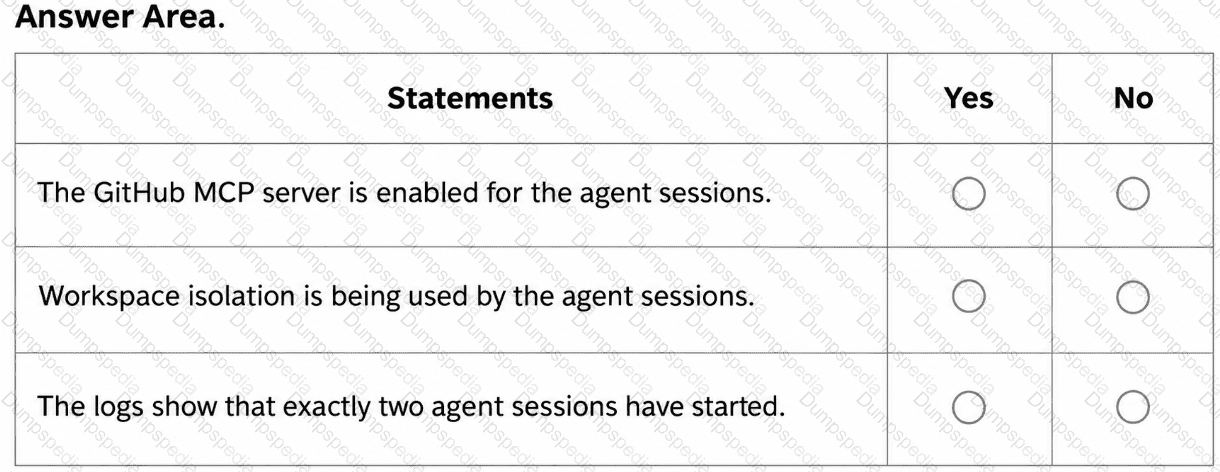
You are evaluating the logs of the multi-agent workflow in repo2.
For each of the following statements, select Yes if the statement is true. Otherwise, select No.
NOTE: Each correct selection is worth one point.
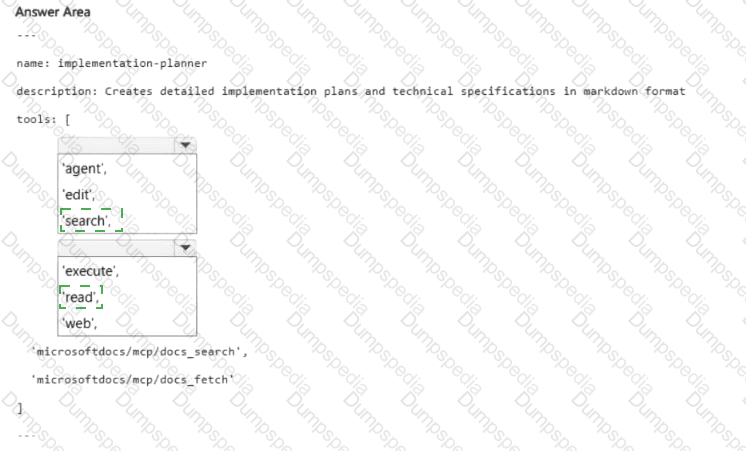
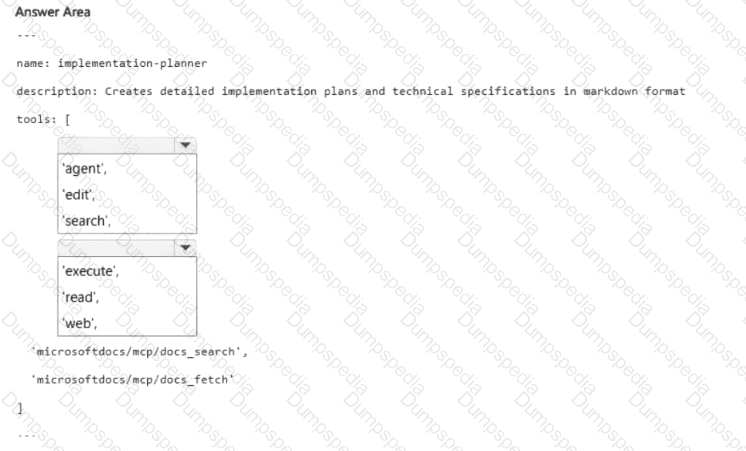
You need to implement agent2 to meet the technical requirements.
How should you complete the YAML configuration? To answer, select the appropriate options in the answer area.
NOTE: Each correct selection is worth one point.
HOTSPOT
name: implementation-planner
description: Creates detailed implementation plans and technical specifications in markdown format
tools: [
< Dropdown 1 > ,
< Dropdown 2 > ,
' microsoftdocs/mcp/docs_search ' ,
' microsoftdocs/mcp/docs_fetch '
]
The accompanying image includes empty dropdown controls and recreated practice alternatives.
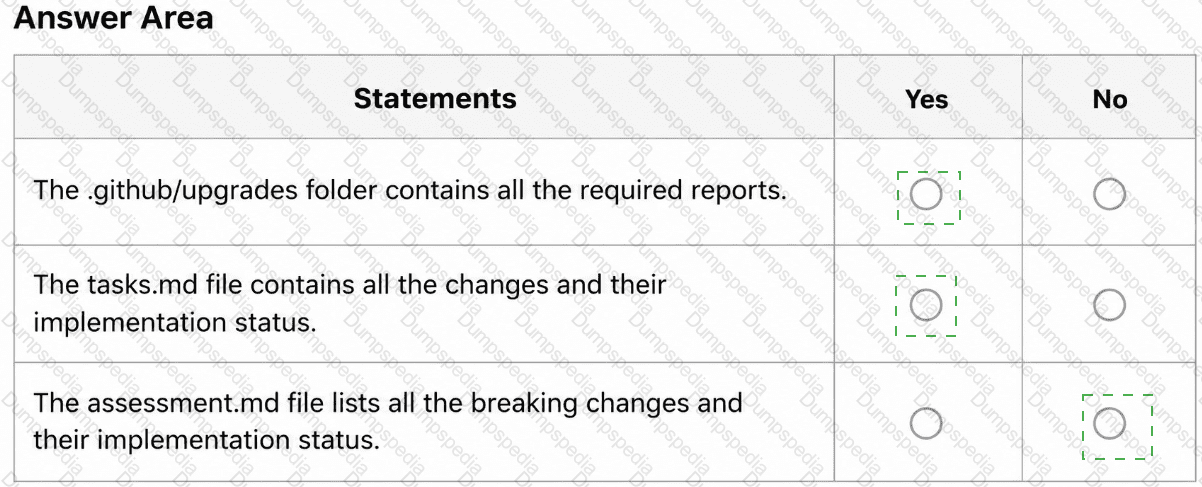
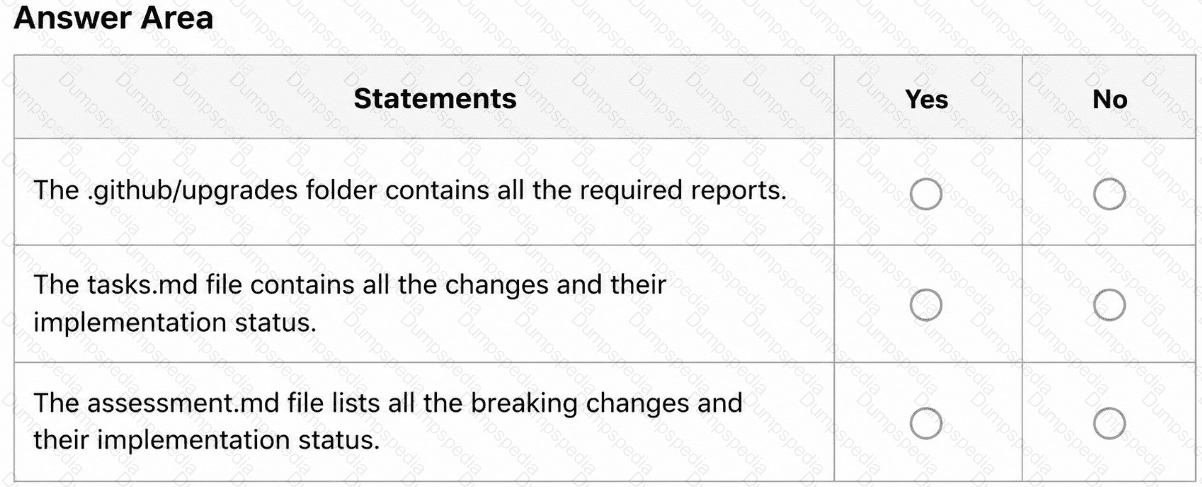
After App1 is upgraded to meet the technical requirements, you need to validate the output.
For each of the following statements, select Yes if the statement is true. Otherwise, select No.
NOTE: Each correct selection is worth one point.
You need to enable Copilot memory to support the planned changes.
What should you configure?
You need to resolve the issue of the agents generating conflicting output. The solution must meet the implementation guidelines.
What should you do?

TESTED 10 Oct 2026